

Argento Stripes Category page uses 2 column layout. Follow our customization guide to learn how to change Magento 2 layout. You can also use Category page Builder in Theme Editor to update the Argento Stripes category page layout.
Argento Stripes category page is a standard Magento 2 category page. However there's a possibility to:
Let's see how to do that.
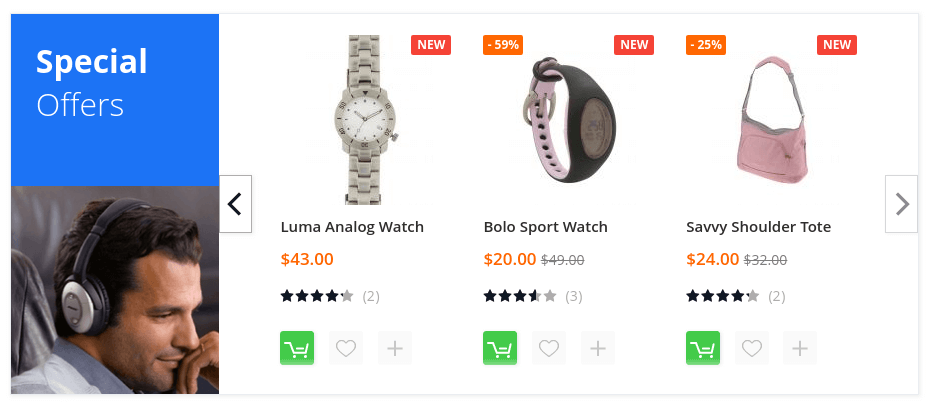
To show special offers block on the selected category, follow the steps:
{{widget type="Swissup\Highlight\Block\ProductList\Onsale" title="Special<br><span>Offers</span>" carousel="1" products_count="3" column_count="3" page_count="3" order="default" dir="desc" template="Magento_Catalog::product/list.phtml" mode="grid" show_page_link="0" hide_when_filter_is_used="1" css_class="hl-magazine hl-blue hl-contain" title_image_url="pub/media/highlight/argento/stripes/headphones-small.png"}}
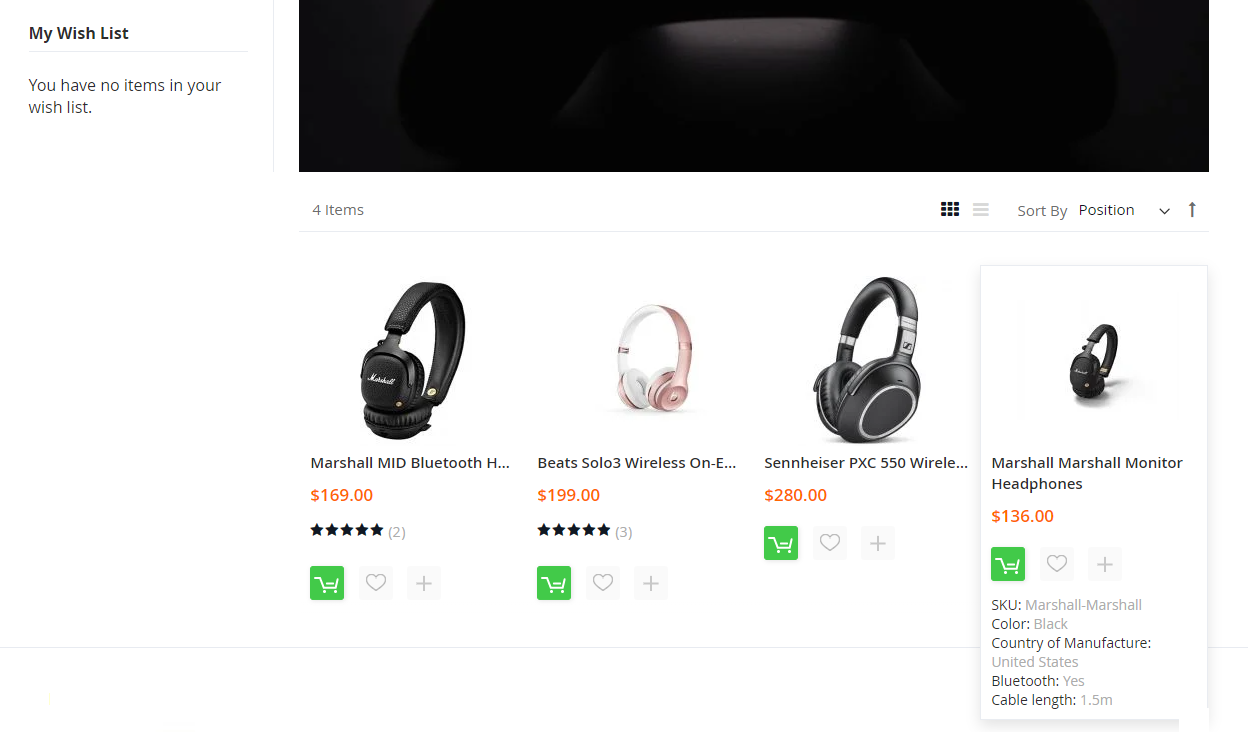
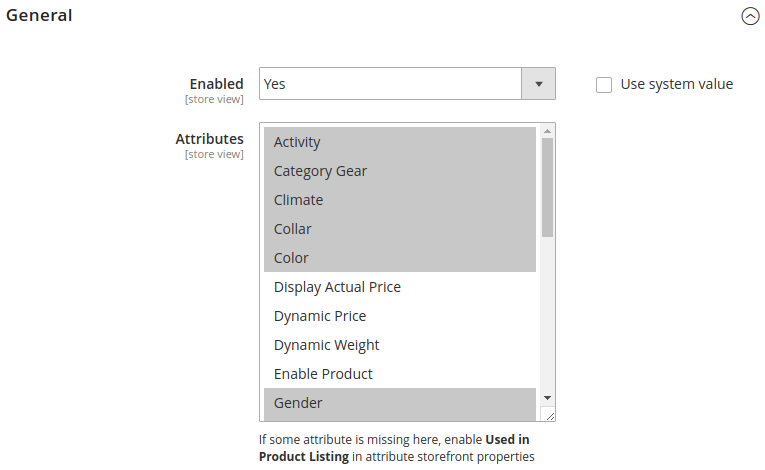
Stripes theme includes Featured Attributes extension. It allows displaying selected product attributes on the category page.
You can select attributes in the module configuration at Magento Admin > Stores > Configuration > Swissup > Featured Attributes.
Then the attributes will be shown on hover.
This website uses cookies to improve your experience. By clicking “Deny”, you consent to the use of Necessary cookies only. You may also accept selected cookies only.