

Category page in Argento Home has traditional elements of Magento 2 category page:
Argento Home uses a 2columns-left layout for the category page. Follow our customization guide to learn how to change Magento 2 layout. You can also use Category page Builder in Theme Editor to update the Argento Home category page layout.
The top part of the category page has a slightly different look when a category has an image assigned to it. By default category title placed before all content in the main column.
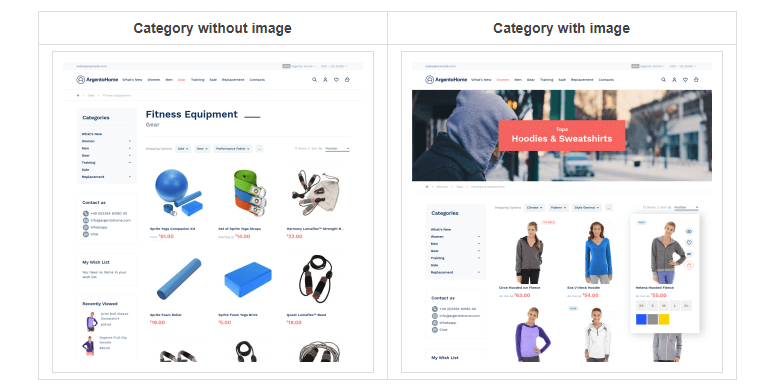
When the category has an image it is shown right after the header and before breadcrumbs. Сategory title placed over category image in such case.
We recommend using grid mode for the product list. We consider it the most popular product presentation in eCommerce.
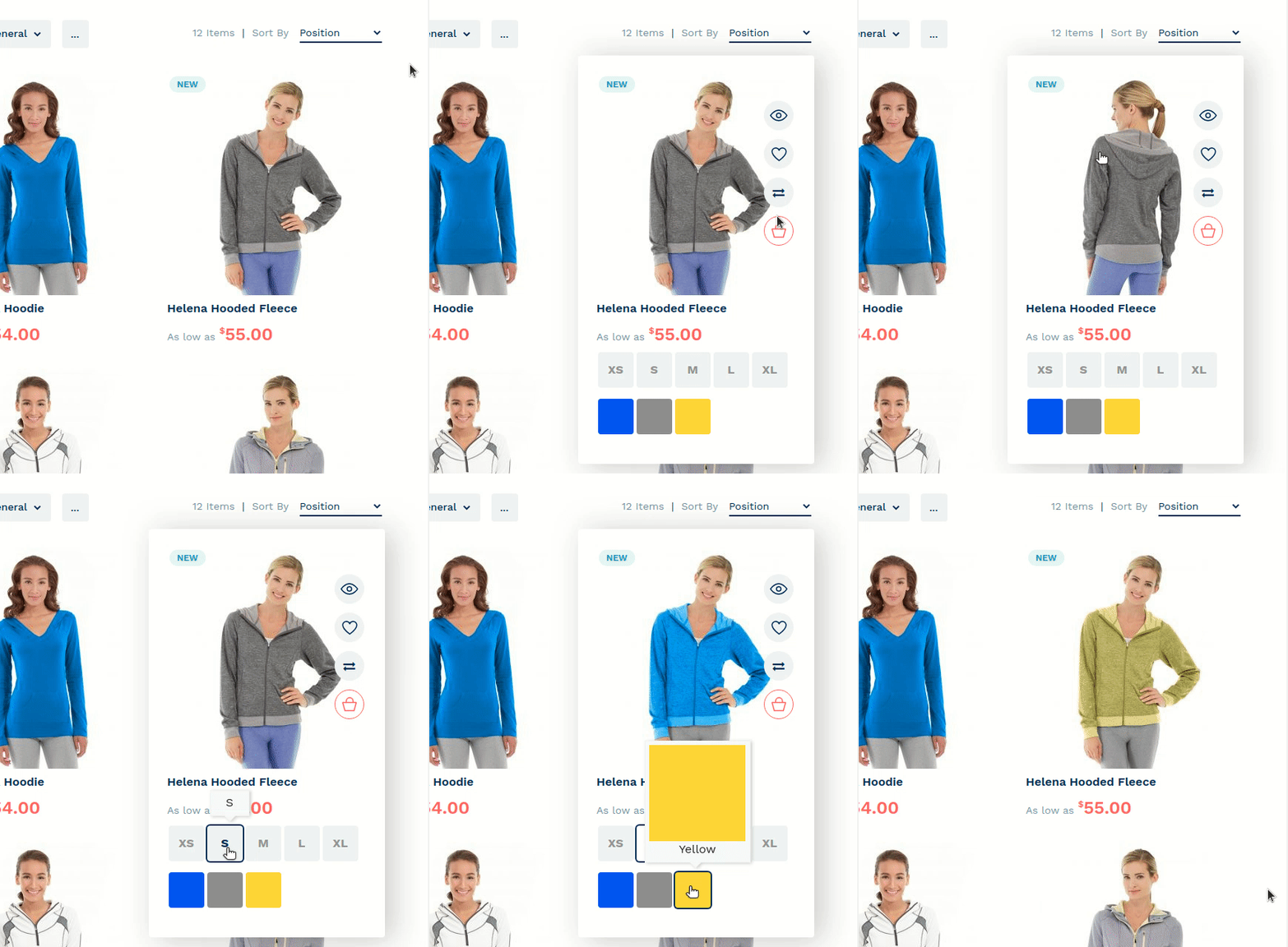
The product list is powered by the Hover Gallery module. It shows a different image when the user is hovering over a product image. Visit the module page to learn more.
One more feature at product listing is product labels - “NEW”, “10% SALE” etc. It is provided by the ProLabels module.
Magento shows add to cart popup when a user adds the product to the cart from the product list. The product usually has some options to select.
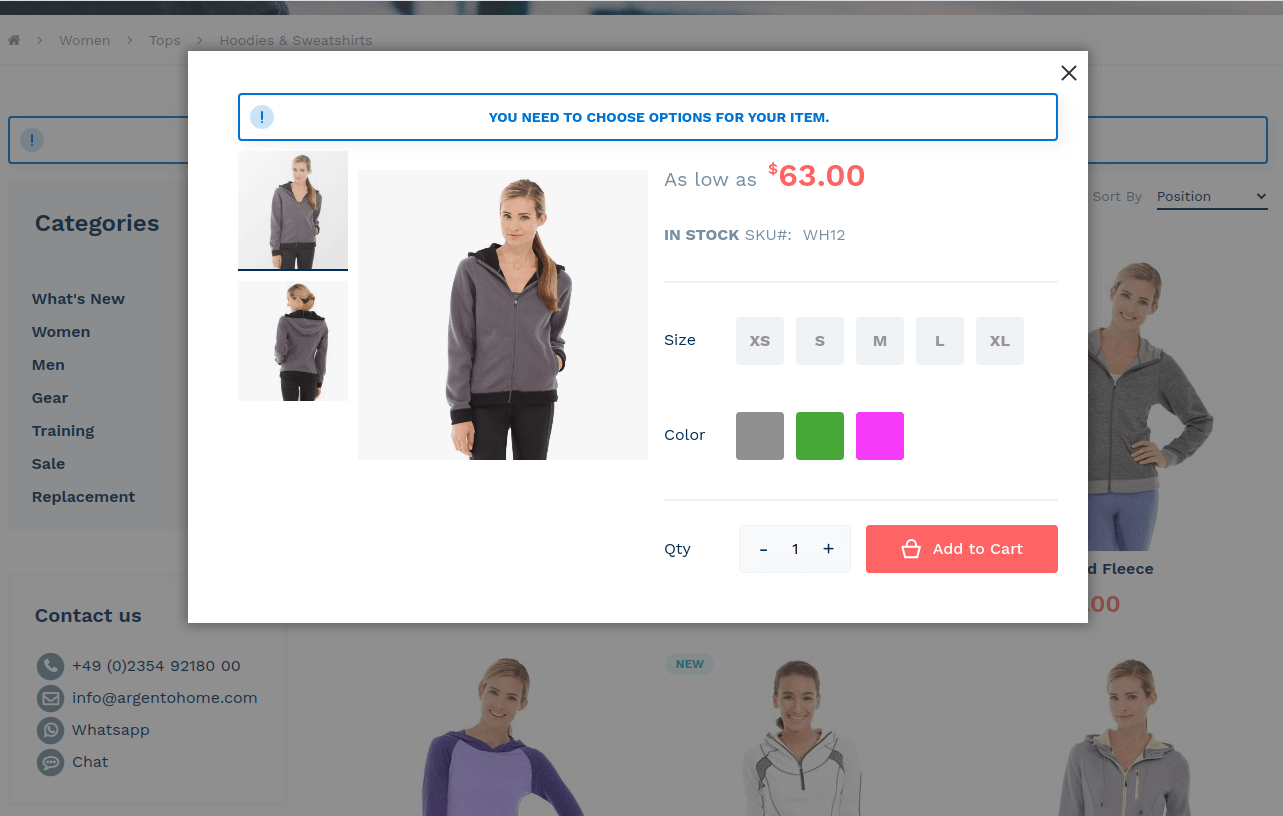
This popup is implemented by the Ajax Pro module.
One distinct feature of Argento themes is the Recently Viewed block on the category page. This block shows recently viewed products by the current visitors on the current devices/PC. For Argento Home, we put the block to the sidebar.
This website uses cookies to improve your experience. By clicking “Deny”, you consent to the use of Necessary cookies only. You may also accept selected cookies only.