

Templates-Master > NavigationPro and expand top menu in left tree
Siblings tab and add new sibling with following values:
Content: <a href="{{store url='home'}}" title="Home" class="nav-a">Home</a>
Sort Order: -30


Templates-Master > NavigationPro and expand top menu in left tree.
Siblings tab and add new sibling with following values:
Content: Shop By
Sort Order: -20
Dropdown CSS styles: width: 960px; padding: 10px 0;
Dropdown content: Insert Easy Catalog Images widget using WYSIWYG editor
Don’t forget to set Root category field for Easy Catalog Images widget.


Templates-Master > NavigationPro and expant top menu in left tree.
Siblings tab and new sibling with following values:
Content: Categories
Sort Order: -10
Dropdown css styles: width: 660px; padding: 10px 0; text-align:left;
Dropdown Content: Insert Easy Catalog Images widget using WYSIWYG editor


featured attribute value at product edit page).Templates-Master > NavigationPro and expand top menu in left tree.
Dropdown columns tab, select Custom mode and add new column with following values:
Type: Widget or Plain HTML
Content: Insert Hightlight: Featured Products widget using WYSIWYG editor
Width: 450px


Templates-Master > EasyBanners > Manage Banners and add new banner that will be shown in dropdown.
Templates-Master > NavigationPro and expand top menu in left tree.
Dropdown columns tab, select Custom mode and add new column with following values:
Type: Widget or Plain HTML
Content: Insert EasyBanner widget using WYSIWYG editor
Width: 220px
Sort Order: 50

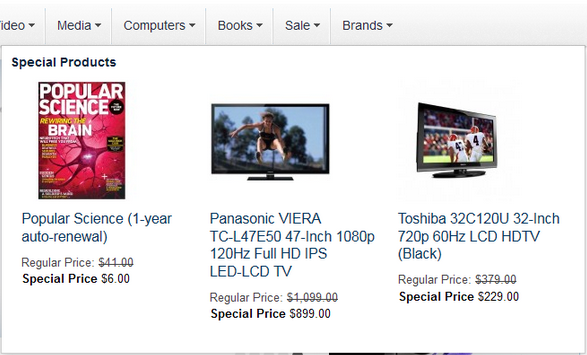
Templates-Master > NavigationPro and expand top menu in left tree.
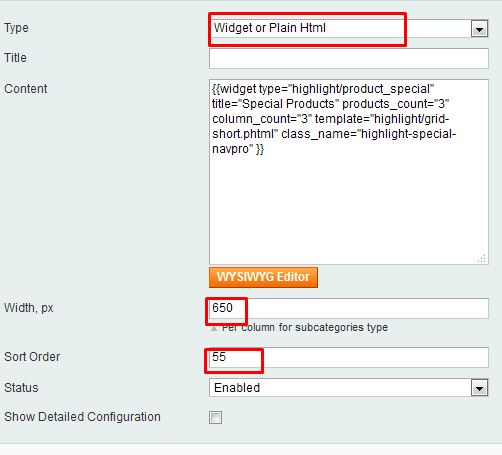
Dropdown columns tab, select Custom mode and add new column with following values:
Type: Widget or Plain HTML
Content: Insert Hightlight: Special Products widget using WYSIWYG editor
Width: 650px
Sort Order: 55
Templates-Master > AttributePages > ManagePages. Check More at AttributePages Manual.Templates-Master > NavigationPro and expand top menu in left tree.
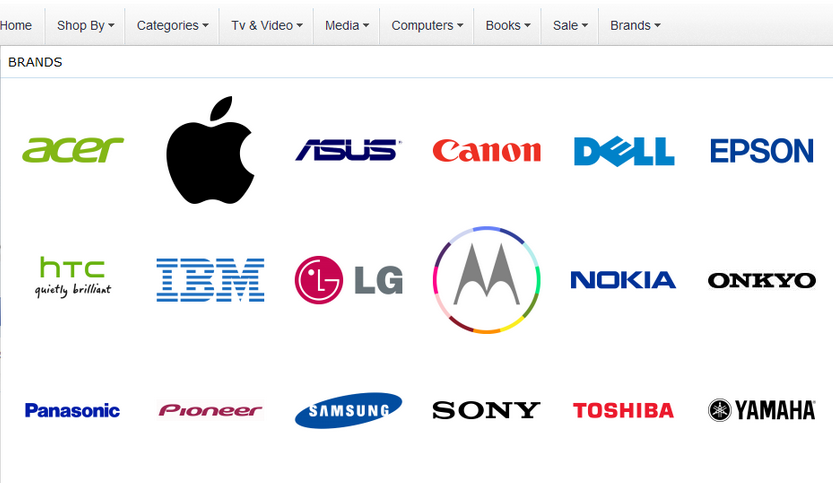
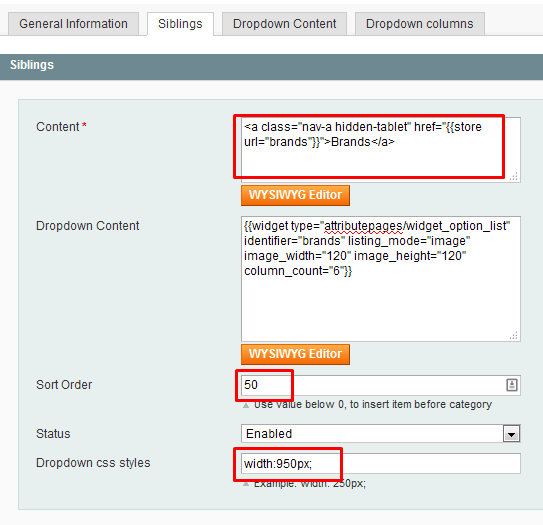
Siblings tab and add new sibling with following values:
Content: <a class="nav-a hidden-tablet" href="{{store url='brands'}}">Brands</a>
Sort Order: 50
Dropdown css styles: 950px
Dropdown content: Insert Attribute Page: Option List widget using WYSIWYG editor
This website uses cookies to improve your experience. By clicking “Deny”, you consent to the use of Necessary cookies only. You may also accept selected cookies only.