

You can find theme settings at System > Configuration > TM Argento Themes > Argento Pure
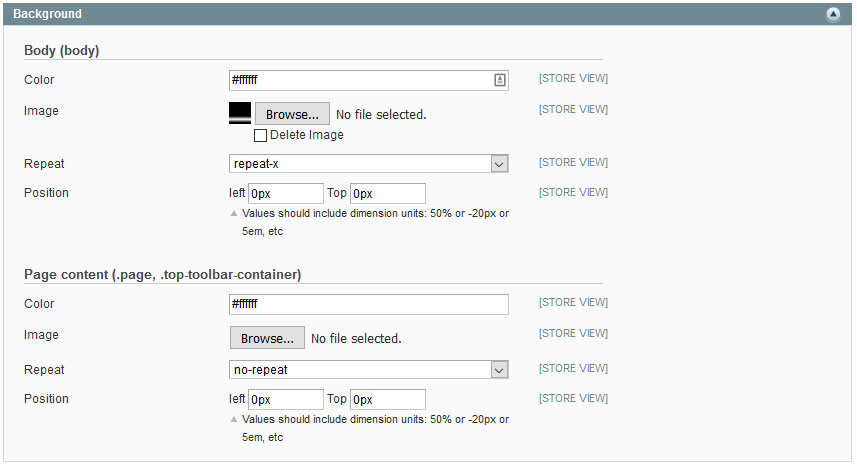
Argento Pure theme allows you to set up the background for the following sections:
| Option | Description |
|---|---|
| Body | Visible, when boxed layout is used. Otherwise container background covers body |
| Page content | Different page font can be applied |
You can edit the background color and the hover state background color.

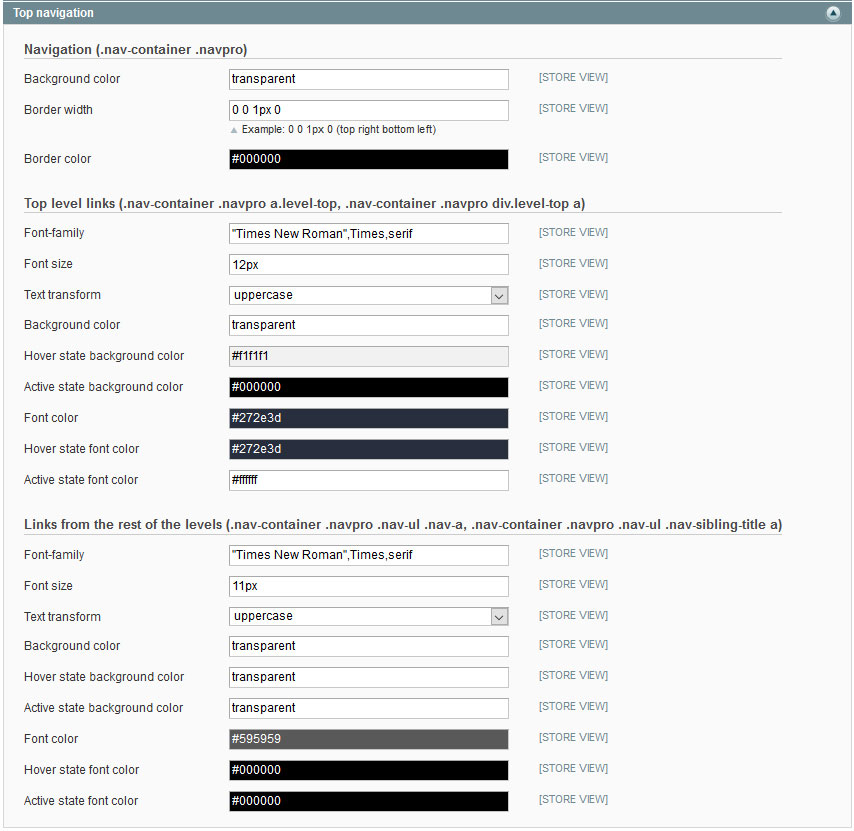
You can change font, color, background for navigation container, top level categories and for the rest of levels separately.
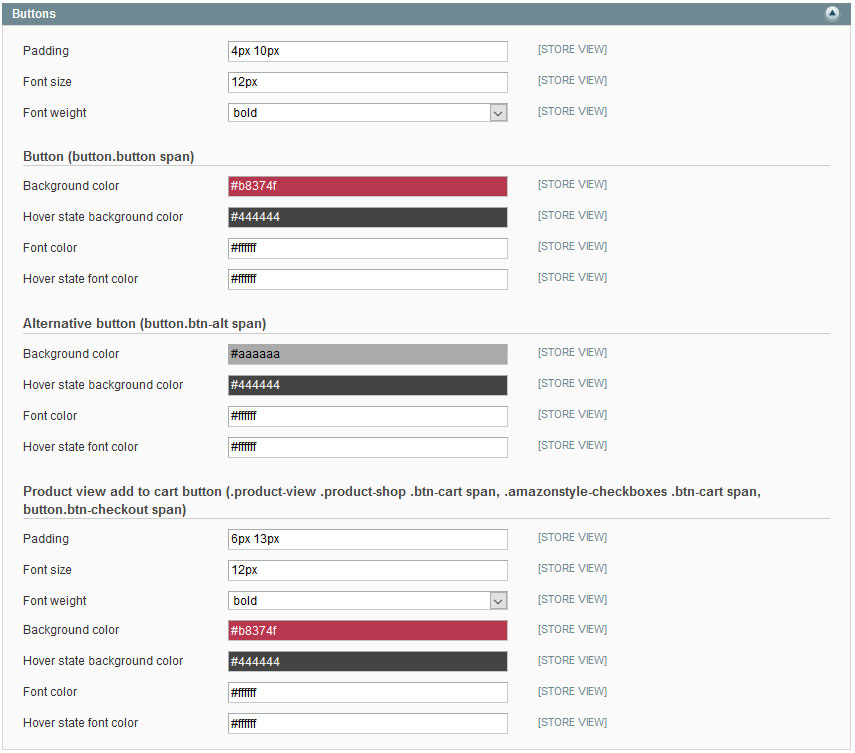
There are settings for primary, alternate and “Add to cart” button on product page:
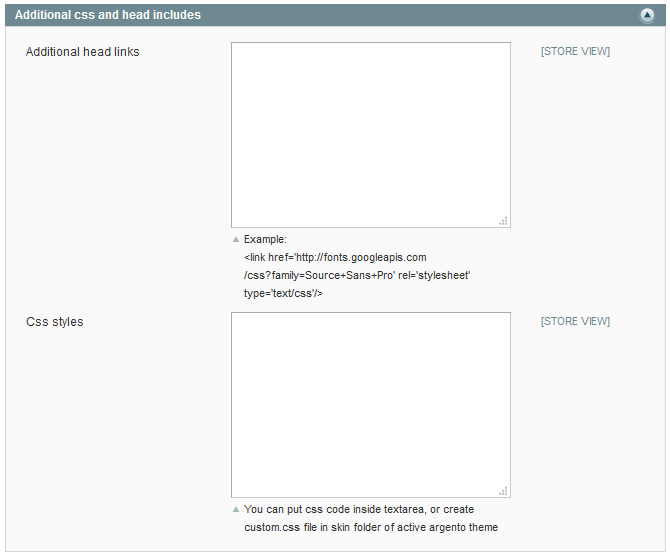
You can use the Ultimate CSS Gradient Generator in order to generate css code for button you like. Copy the code output and save it to the System > Configuration > Templates Master > [Your Theme] > Addional css > Css styles field.
button.button span {
    border-radius: 6px;
    color: #fff;
    text-shadow: 1px 1px 0 rgba(0, 0, 0, 0.3);
    box-shadow: 1px 2px 2px -1px rgba(0, 0, 0, 0.3);
    background: #f3920b;
    background: -moz-linear-gradient(top, #FFAF12 0%, #ED8108 100%);
    background: -webkit-gradient(linear, left top, left bottom, color-stop(0%,#FFAF12), color-stop(100%,#ED8108));
    background: -webkit-linear-gradient(top, #FFAF12 0%,#ED8108 100%);
    background: -o-linear-gradient(top, #FFAF12 0%,#ED8108 100%);
    background: -ms-linear-gradient(top, #FFAF12 0%,#ED8108 100%);
    background: linear-gradient(to bottom, #FFAF12 0%,#ED8108 100%);
}
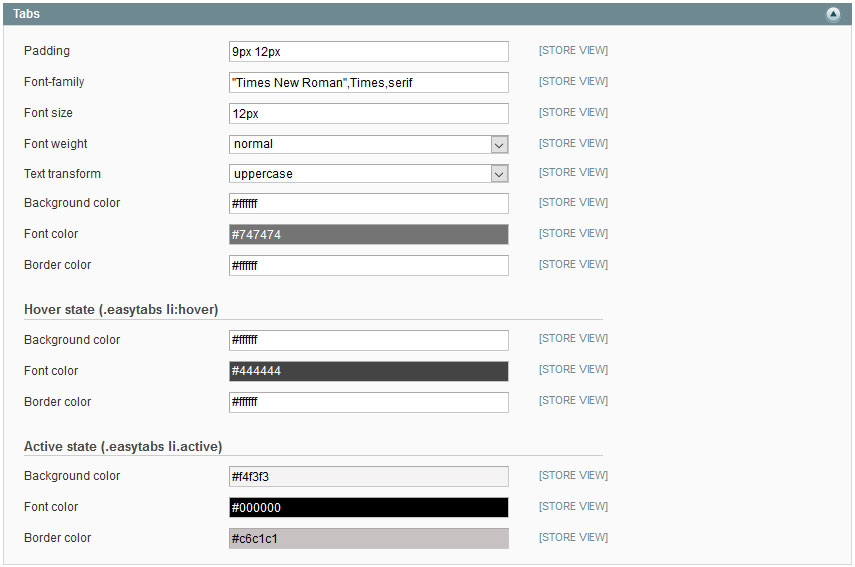
You can change font and color settings for the product page tabs. There are separate options for :hover and :active tab states also.
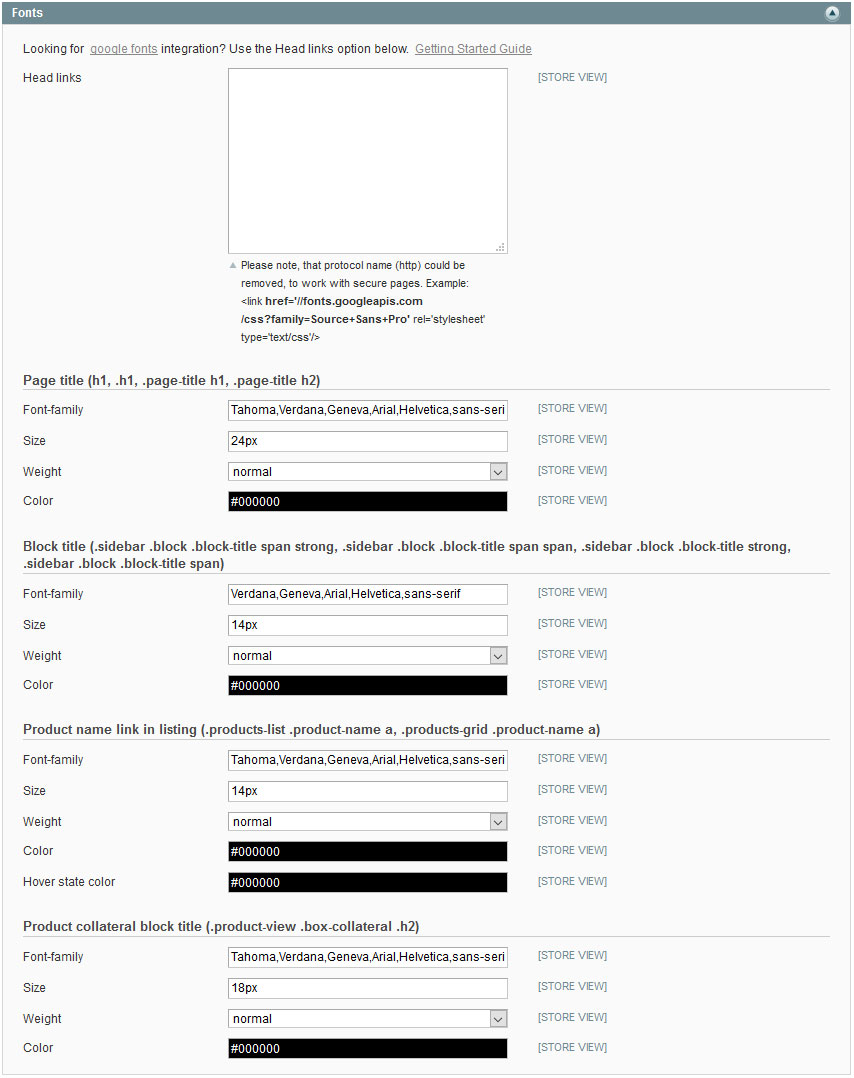
You can apply the webfont to page titles. There are separate options for the following titles:
With additional css styles option, you can apply any css changes, that are not listed above.
This website uses cookies to improve your experience. By clicking “Deny”, you consent to the use of Necessary cookies only. You may also accept selected cookies only.