

All Argento designs provide you with the opportunity to add a product photo to the “Description” product tab. If you’re using Argento Force the option is enabled by default.
You can place a beautiful product image in the product tab in the same manner as we showed here.
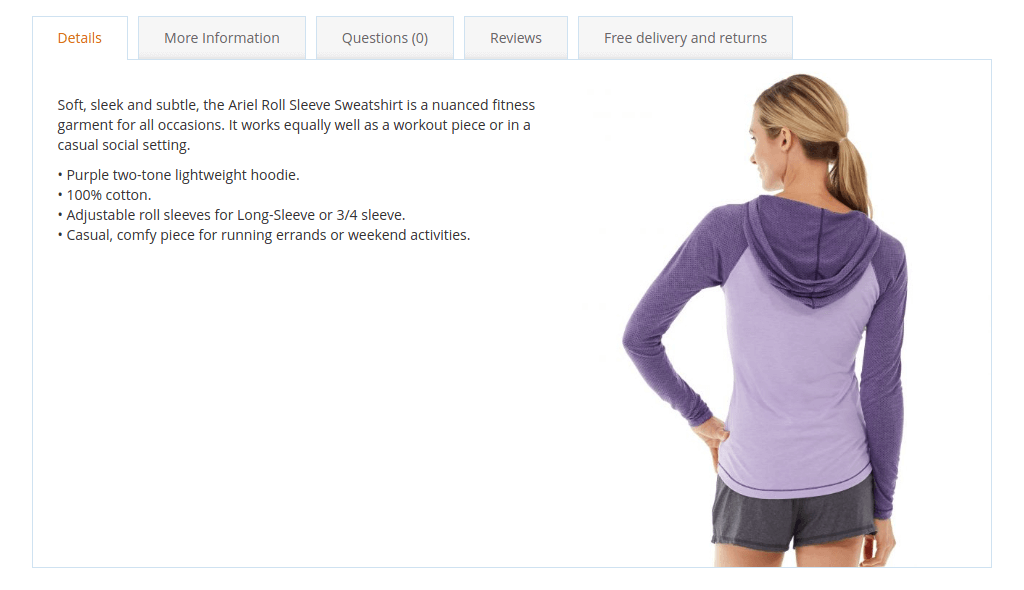
There are 2 ways to add a photo.
Use the method if you want to have this type of picture only for specific products. Follow steps:
<img class="argento-float-photo hidden-xs hidden-sm" src="[URL_TO_IMAGE]" />
Here you can see some tech info. The image element has classes:
Please note you have to create a custom theme before using this way.
Here you can add photos in the description for every product. Then Magento will use the last image from the product gallery to add it to the product description. If the description already has photo-in-description then Magento will do nothing.
So, you have to create a view.xml file at the directory ETC of your custom theme with the following content.
<?xml version="1.0"?>
<view xmlns:xsi="http://www.w3.org/2001/XMLSchema-instance" xsi:noNamespaceSchemaLocation="urn:magento:framework:Config/etc/view.xsd">
    <!-- settings go here -->
</view>
If not, please add settings to view.xml. Insert them before closing the ‘view’ node (</view>).
<vars module="Argento_Theme">
    <var name="photo_in_description">
        <var name="add_classes">hidden-xs hidden-sm</var> <!-- hide on mobile screens and tables -->
        <var name="target">#product\\.info\\.description[data-role=content]</var>
    </var>
</vars>
Save and clear store cache.
This website uses cookies to improve your experience. By clicking “Deny”, you consent to the use of Necessary cookies only. You may also accept selected cookies only.