

In case you want to add custom CSS in Magento 2 template, please use our instructions. We show you the simplest way to customize the theme’s style based on the Argento theme.
Our template brings the possibility to create a new _argento_custom. less file, that will be automatically included and processed.
Here we’ll change product links color from black to blue and update the color scheme for homepage and products page tabs. Please do as follows:
vendor/swissup/theme-frontend-argento-stripes/web/css/source
// change product links styles
@product-name-link__color: #039ae4;
@product-name-link__color__visited: #167fb3;

// change homepage and product tabs styles
@tab-control__background-color: #ef813d;
@tab-control__active__background-color: #fff;
@tab-control__color: #fff;
@tab-content__border: 1px solid #ef813d;

.product.data.items > .item.title .counter {
    color: inherit;
}
cd magento/root/folder
rm -rf var/view_preprocessed pub/static/frontend
bin/magento setup:static-content:deploy
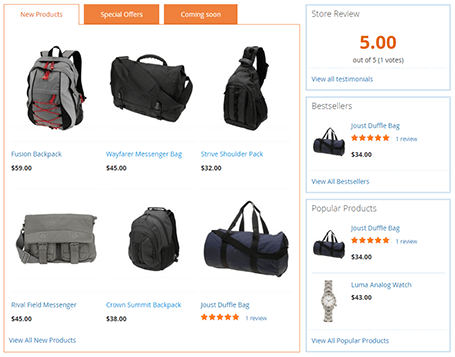
Look at the result
This website uses cookies to improve your experience. By clicking “Deny”, you consent to the use of Necessary cookies only. You may also accept selected cookies only.